

Privacy Screen Filter for Monitor: How It Works
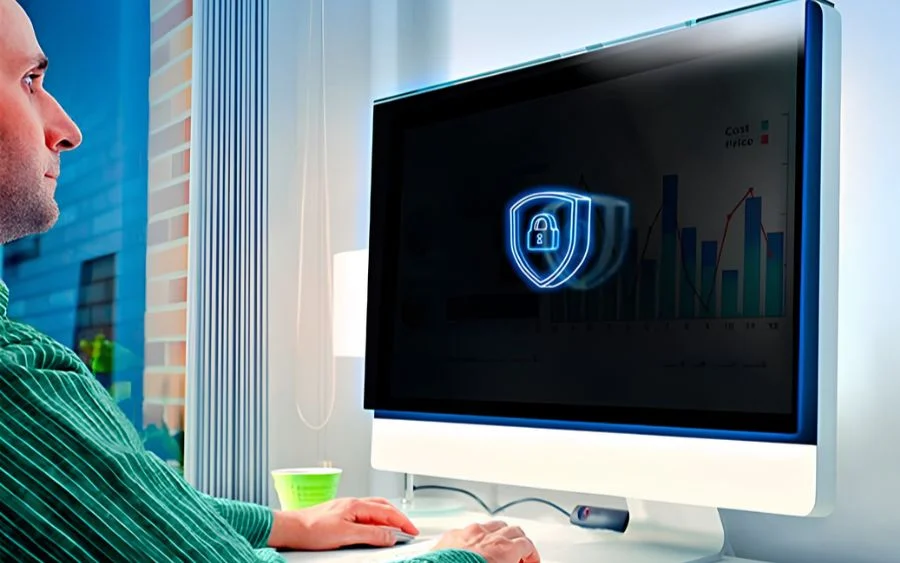
كبسولة الإجابة: A Privacy Screen Filter for Monitor uses microscopic optical structures to keep a display clear for the person directly in front while making it significantly darker from side angles. For businesses, this simple physical layer can reduce visual exposure of customer data, financial information, passwords and other confidential content in offices and public workspaces.
Visual exposure is more common than many companies assume. A Ponemon Institute experiment sponsored by 3M found that visual hackers successfully captured sensitive information in 91% of global trials, and nearly half of the attempts took less than 15 minutes (Ponemon Institute/3M, 2016). That makes a Privacy Screen Filter for Monitor particularly relevant for desks facing corridors, shared offices, customer service areas and other environments where screens are visible to people nearby.
More than half of the sensitive information captured during the same global experiment came from computer screens, at 52% (Ponemon Institute/3M, 2016). A monitor can therefore become a physical information-security exposure even when the device itself is protected by passwords, firewalls and endpoint security.
How does a Privacy Screen Filter for Monitor actually work?
A Privacy Screen Filter for Monitor controls the direction in which light leaves the display. Many products use micro-louver technology, which can be understood as thousands of extremely small vertical structures positioned inside the optical layer.
Targus describes the technology in its current 4Vu monitor products as tiny vertical blinds that restrict useful screen visibility to approximately 30 degrees from either side of the center position (Targus, 2026). When someone moves farther to the side, less useful light reaches their eyes and the display appears dark or unclear.
3M currently specifies a 60-degree total viewing zone for several of its monitor privacy filters (3M, 2026). In practical terms, this creates a central area where the authorized user can work normally while reducing visibility for people looking from the left or right.
A Privacy Screen Filter for Monitor does not technically switch off pixels or change the information displayed by the computer. It modifies how the light produced by those pixels can be viewed from different angles.
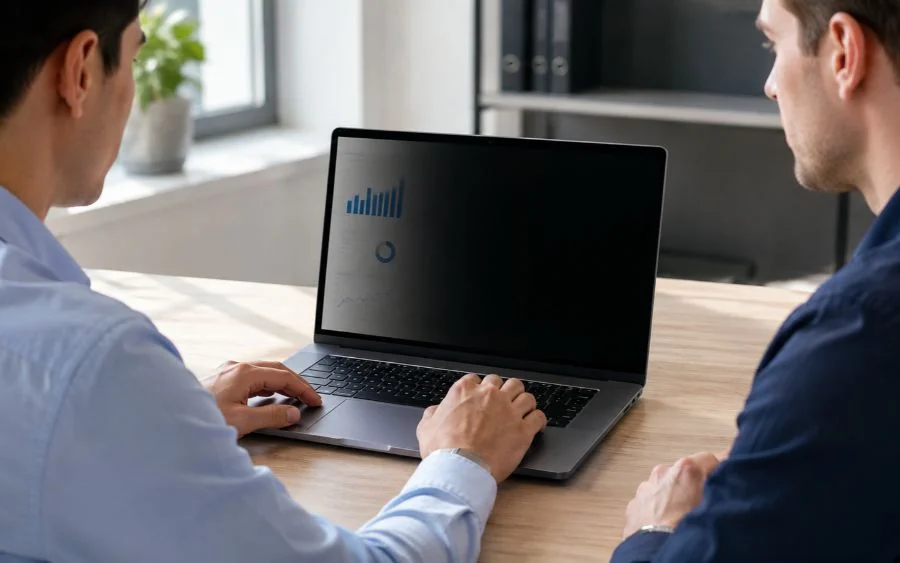
This is why someone sitting directly in front of the display can continue to read documents and applications while a person several seats away may see a largely black screen. The technology is physical and optical rather than software-based.
Why can side-angle viewing create a business security problem?
Not every information breach begins with sophisticated malware. Sometimes an unauthorized person only needs to look at a screen long enough to read a name, account number, password, email, contract or financial figure.
The global Ponemon Institute experiment found an average of 3.9 pieces of sensitive information captured during each visual-hacking trial (Ponemon Institute/3M, 2016). In 68% of those trials, the visual-hacking activity went unnoticed or was not challenged by employees (Ponemon Institute/3M, 2016).
A Privacy Screen Filter for Monitor can make this casual observation more difficult without asking the employee to change how normal applications are used. That can be particularly useful in high-traffic areas.
- Reception desks
- Open-plan offices
- Financial departments
- Human resources workstations
- Healthcare administration
- Customer support centers
- Banking environments
- Legal offices
- Retail administrative areas
- Shared coworking spaces
IBM reported that the global average cost of a data breach was $4.44 million in 2025, down 9% from the previous year (IBM, 2025). A Privacy Screen Filter for Monitor does not prevent every type of breach and should not be presented as if it did, but visual privacy can form one component of a broader security program.
What exactly can a Privacy Screen Filter for Monitor protect?
The filter protects against one specific exposure: unauthorized side-angle viewing of information displayed on a monitor. It does not protect the data itself once someone has legitimate or illegitimate digital access to the computer.
The Ponemon/3M global experiment reported that 27% of visually accessed information included login credentials, financial data, privileged information and confidential documents (Ponemon Institute/3M, 2016). These are precisely the kinds of information businesses should not allow to remain unnecessarily visible.
A Privacy Screen Filter for Monitor may help reduce exposure of:
- Customer names and contact details
- Employee records
- Payroll information
- Banking information
- Sales dashboards
- Internal reports
- Contracts
- Passwords and authentication information
- Pricing and margins
- Medical or patient information
- Business plans
Dr. Larry Ponemon has described visual hacking as a corporate risk that can be underestimated because of its simplicity.
“Visual hacking is an under-addressed corporate risk.”
Dr. Larry Ponemon, Chairman and Founder, Ponemon Institute
Ponemon has also pointed out that low-tech threats should not be ignored simply because companies invest heavily in sophisticated digital defenses (Ponemon, 2014). A Privacy Screen Filter for Monitor addresses a problem that exists outside the network itself.
What viewing angle should a Privacy Screen Filter for Monitor have?
A viewing zone around 60 degrees total is common among business privacy filters. This generally gives the authorized user approximately 30 degrees to the left and 30 degrees to the right before the screen begins to become significantly darker.
3M currently specifies effective blackout outside a 60-degree viewing angle on several monitor privacy products (3M, 2026). Targus similarly specifies visibility up to approximately 30 degrees from the center on either side for many 4Vu filters (Targus, 2026).
| Viewing configuration | Privacy | Collaboration | Typical use |
|---|---|---|---|
| Wide viewing angle | قليل | عالي | Meeting rooms and shared displays |
| Approx. 60° total zone | High from side angles | معتدل | Standard office workstations |
| Approx. 50° total zone | أعلى | أدنى | Public or high-privacy environments |
| Four-way privacy | Multiple directions | قليل | Specialized mobile and touchscreen applications |
Targus also offers custom narrow-arc privacy configurations that reduce the visible zone to approximately 25 degrees on each side for applications such as public transport (Targus, 2026). The best Privacy Screen Filter for Monitor therefore depends on the physical environment where the monitor will be used.
Does a Privacy Screen Filter for Monitor block people standing directly behind you?
Usually not. Standard two-way privacy filters are mainly designed to reduce visibility from the left and right.
A person located directly behind the employee may still be positioned inside the central viewing zone. This is one reason why a Privacy Screen Filter for Monitor should not be viewed as a complete security solution.
In the Ponemon/3M global experiment, 68% of visual-hacking attempts were either unnoticed or unchallenged (Ponemon Institute/3M, 2016). Physical positioning therefore remains important even when a filter is installed.
You can improve protection by:
- Positioning monitors away from public walkways.
- Avoiding desks with screens facing reception areas.
- Using automatic screen locking when employees leave their desks.
- Teaching employees to recognize visual-security risks.
- Restricting visitor access to sensitive work areas.
- Using a narrower or four-way filter when appropriate.
ال Privacy Screen Filter for Monitor works best when combined with sensible workplace design rather than being expected to compensate for poor screen positioning.
Does a Privacy Screen Filter for Monitor reduce brightness?
Some brightness reduction is normal because the optical layer is deliberately controlling how display light is transmitted. The relevant purchasing question is not whether any light is lost, but whether enough front-view brightness and clarity remain for comfortable daily work.
3M currently states that its High Clarity privacy filters provide nearly 20% more clarity than its standard Black Privacy Filters while maintaining a 60-degree privacy zone (3M, 2026). This illustrates how optical performance can differ significantly between products.
Targus states that selected 4Vu privacy screens can provide more than 12% greater brightness than certain competing solutions (Targus, 2026). For a purchasing manager, that means two products with the same nominal privacy angle may provide different front-view experiences.
Before purchasing a Privacy Screen Filter for Monitor in volume, test it with:
- Text documents
- Spreadsheets
- ERP and CRM interfaces
- Dashboards
- Video calls
- Design applications where relevant
Graphic designers, photographers and other employees performing color-critical work may require a higher-clarity product or may need to remove the filter temporarily. A removable Privacy Screen Filter for Monitor can be useful in this situation.
What is the difference between matte and glossy privacy filters?
Many privacy filters have two usable surfaces. A matte side is designed to reduce reflections and visible fingerprints, while a glossy side can provide a clearer appearance under suitable lighting.
3M’s current privacy-filter specifications include reversible glossy and matte surfaces on selected models (3M, 2026). The company also states that its filters are engineered to withstand hundreds of cleanings, which is relevant for shared corporate environments (3M, 2026).
| Surface | Main benefit | Potential limitation | Best environment |
|---|---|---|---|
| Matte | Reduced reflections | May look slightly less vivid | Bright offices and window-facing desks |
| Glossy | Sharper visual appearance | More reflections | Controlled indoor lighting |
| Reversible | Employee flexibility | May require removal to switch sides | Mixed-use offices |
The most appropriate Privacy Screen Filter for Monitor is therefore influenced by office lighting as well as information sensitivity.
How should you measure a monitor before buying a privacy filter?
Do not choose a privacy screen from diagonal size alone. You need to confirm the aspect ratio and active display dimensions.
3M currently sells separate monitor filters for formats including 18.5-inch 16:9, 21.3-inch 4:3, 21.5-inch 16:9 and even 34-inch 21:9 displays (3M, 2026). These examples show why diagonal measurements without aspect ratio can lead to incorrect purchases.
Before ordering a Privacy Screen Filter for Monitor, measure:
- The visible screen width.
- The visible screen height.
- The diagonal display size.
- The screen aspect ratio.
- The presence or absence of a raised bezel.
What is the difference between raised-bezel and edge-to-edge monitors?
A traditional monitor has a physical bezel positioned above the surface of the display. This can allow slide tabs to hold the privacy filter inside the frame.
Modern edge-to-edge monitors require a different attachment approach. 3M currently produces full-screen privacy filters designed to span the entire display surface and offers magnetic attachment systems for selected 21.5-inch and 27-inch monitors (3M, 2026).
For B2B purchasing, create a monitor inventory before ordering. Recording manufacturer, model, display size and aspect ratio can prevent a large quantity of incompatible Privacy Screen Filter for Monitor units from entering inventory.
Which attachment system is best for a Privacy Screen Filter for Monitor?
The ideal system depends on whether employees need to remove the privacy filter regularly. Permanent privacy and frequent collaboration require different solutions.
| Attachment | Advantage | Limitation | Best use |
|---|---|---|---|
| Adhesive | Stable installation | Less convenient to remove | Dedicated private workstations |
| Slide tabs | Easy removal | Requires suitable bezel | Standard office monitors |
| Magnetic | Very fast removal and reattachment | Requires compatible design | Collaborative environments |
| Edge-to-edge attachment | Designed for modern displays | Precise sizing is essential | Frameless monitors |
3M’s current COMPLY Magnetic Attach system is designed specifically to let users switch quickly between screen privacy and screen sharing (3M, 2026). Targus provides reusable adhesive strips and tab systems on multiple current monitor filters (Targus, 2026).
For employees who frequently show their monitor to colleagues, a removable Privacy Screen Filter for Monitor can offer better usability than a permanently attached filter.
Is a Privacy Screen Filter for Monitor the same as a screen protector?
No. A standard screen protector and a privacy filter can overlap in some secondary functions, but their primary purposes are different.
| Product | Side-view privacy | Scratch protection | Glare reduction | Primary purpose |
|---|---|---|---|---|
| Privacy screen filter | نعم | Often | Often | Visual privacy |
| Clear protective film | لا | نعم | Depends on product | Physical protection |
| Anti-glare film | Usually no | Often | نعم | Reflection reduction |
| Blue-light filter | Usually no | Depends on product | Depends on product | Light-spectrum filtration |
Devia Global currently offers an Intelligent Screen Protective Film for Laptop made from PET with dimensions of 290 × 420 mm, a stated thickness of 0.25 mm and light transmission above 91% (Devia Global, 2026). That product is a laptop protection film and should not automatically be described as a Privacy Screen Filter for Monitor unless a specific product specification confirms side-view privacy.
This distinction matters for distributors and retailers. Products should be sold according to what their technical specifications actually support.
The same principle applies across device protection. You can read why choosing the correct protection for each device matters and our explanation of why screens can still crack even when a protector is installed.
Can a Privacy Screen Filter for Monitor also reduce glare and blue light?
Some products combine privacy with additional optical features. These can include matte anti-glare surfaces and partial blue-light reduction.
Current 3M monitor privacy products advertise blue-light reduction and reversible matte surfaces designed to reduce glare and fingerprints (3M, 2026). Targus also lists blue-light filtering and glare reduction among the features of several current 4Vu products (Targus, 2026).
These secondary features can increase the usefulness of a Privacy Screen Filter for Monitor, but buyers should evaluate each specification separately. A blue-light claim does not demonstrate strong privacy performance, and an anti-glare surface does not automatically provide side-angle blackout.
The primary B2B buying criteria should remain:
- Privacy viewing angle
- Correct monitor fit
- Front-view clarity
- Attachment method
- متانة
- Cleaning requirements
- Supplier consistency
Who needs a Privacy Screen Filter for Monitor most?
Not every monitor in an organization requires the same protection. A risk-based approach can be more economical than installing filters on every display automatically.
IBM reported an average healthcare breach cost of $7.42 million in 2025, the highest average across industries for the 14th consecutive year (IBM, 2025). That figure relates to total data breaches rather than visual hacking specifically, but it shows why sectors handling sensitive information take multiple layers of data protection seriously.
Prioritize a Privacy Screen Filter for Monitor for employees handling:
- Financial records
- Customer databases
- Medical information
- Legal documents
- Employee records
- Payroll
- Passwords and authentication systems
- Confidential business plans
Physical location matters too. A low-risk employee working alone in a closed office may need visual privacy less urgently than an employee whose display faces a waiting room.
The 91% success rate recorded in the global Ponemon visual-hacking trials demonstrates why workplace visibility should be assessed rather than assumed to be safe (Ponemon Institute/3M, 2016).
What should B2B buyers compare before ordering privacy filters?
For purchasing managers and importers, product quality is only part of the decision. Supply consistency and accurate specifications matter when a Privacy Screen Filter for Monitor must be deployed across dozens, hundreds or thousands of workstations.
Targus currently offers standard privacy solutions for devices ranging from approximately 9.7 inches to 30 inches and provides custom sizing for orders of 100 or more units (Targus, 2026). That demonstrates the degree of device variation corporate buyers may need to manage.
Ask suppliers these questions:
- What exact monitor sizes are available?
- Which aspect ratios are supported?
- What is the total viewing angle?
- How much light transmission is maintained?
- Is the filter matte, glossy or reversible?
- What attachment systems are available?
- Can the product be removed and reused?
- Is it compatible with edge-to-edge monitors?
- Is touchscreen compatibility available?
- What cleaning procedures are recommended?
- What is the minimum order quantity?
- Can samples be provided?
- What warranty or replacement policy applies?
جيد Privacy Screen Filter for Monitor should solve the privacy problem without creating a new productivity problem for employees.
How should a company test a Privacy Screen Filter for Monitor before buying in bulk?
A technical specification sheet cannot fully reproduce the employee experience. Testing a sample in real working conditions is one of the most useful steps before volume procurement.
3M states that selected current privacy filters are designed to withstand hundreds of cleanings (3M, 2026). Durability characteristics like this become more relevant when a product will remain deployed for years rather than weeks.
Use this practical test:
- Verify the fit. Confirm that the filter covers the active display correctly.
- Sit directly in front. Check normal text and image visibility.
- Move 30 degrees to the side. Evaluate how quickly the display darkens.
- Test normal lighting. Look for reflections and glare.
- Open typical business applications. Test spreadsheets, dashboards and documents.
- Remove and reinstall the filter. Evaluate the attachment system.
- Clean it. Confirm that normal maintenance is practical.
- Ask employees for feedback. Test comfort during several full working days.
If the Privacy Screen Filter for Monitor passes these tests, expand the pilot to a larger employee group before rolling it out organization-wide.
Can a Privacy Screen Filter for Monitor replace cybersecurity?
No. Visual privacy is only one part of information protection.
A Privacy Screen Filter for Monitor cannot stop malware, phishing attacks, credential theft, ransomware, unauthorized remote access or a malicious insider who already has legitimate access to the data.
IBM’s 2025 research reported a global average breach cost of $4.44 million and a U.S. average of $10.22 million (IBM, 2025). Those figures reflect broad cybersecurity incidents and demonstrate why businesses need multiple controls rather than relying on one protective measure.
A complete approach can include:
- Multi-factor authentication
- Automatic screen locking
- Encryption
- Endpoint security
- Role-based permissions
- Security awareness training
- Visitor-access management
- Secure workstation positioning
- Visual privacy filters
For further information about visual privacy technology, you can review the 3M privacy screen and visual privacy resources.
How does visual privacy fit into a broader device protection business?
For distributors, wholesalers and technology retailers, visual privacy can sit inside a broader device-protection category rather than operating as an isolated product.
Devia Global currently offers screen-protection products for smartphones, tablets and laptops and operates a broader ecosystem that includes cutting plotters and device accessories (Devia Global, 2026). Its Intelligent Screen Protective Film for Laptop is supplied in packs of 20 and specifies PET construction and more than 91% light transmission (Devia Global, 2026).
This does not mean a standard protective film is equivalent to a Privacy Screen Filter for Monitor. Instead, it demonstrates how different protection requirements can create separate product categories around the same device.
A retailer can structure a screen-protection portfolio around:
- Scratch protection
- Impact protection
- Privacy
- Anti-glare performance
- Custom-cut protection
- Camera protection
For stores building a wider Apple accessory category, our guide to the best phone case brands to watch for the next iPhone generation explains how protection products can be evaluated from a retail perspective.
What is the practical buying recommendation for a Privacy Screen Filter for Monitor?
Start with the business risk instead of the product catalog. Identify which workstations display sensitive information and determine who can physically see those screens during a normal working day.
Then inventory the monitors, verify dimensions and aspect ratios, and shortlist products with clearly documented viewing angles. A 60-degree total viewing zone is common among established commercial filters, but narrower configurations can be appropriate for more exposed environments (3M, 2026; Targus, 2026).
Request samples before approving a large Privacy Screen Filter for Monitor order. Test front-view clarity, side privacy, installation, employee comfort and cleaning under real workplace conditions.
Finally, evaluate the supplier itself. Product consistency, sizing availability, warranty support and replenishment can become as important as the initial unit cost when filters are being deployed across a company.
The 91% visual-hacking success rate found in the global Ponemon experiment does not mean every business will experience a visual data incident (Ponemon Institute/3M, 2016). It does show that sensitive information displayed in plain sight can be surprisingly easy to capture when no visual controls are present.
FAQ about Privacy Screen Filter for Monitor products
How does a Privacy Screen Filter for Monitor work?
A Privacy Screen Filter for Monitor uses microscopic optical structures, commonly described as micro-louvers, to control the direction in which light from the display travels. The person positioned directly in front of the monitor can see the screen normally, while viewers moving outside the permitted side angle see a much darker image. Many commercial products provide a viewing zone of approximately 60 degrees in total, although the exact specification varies by manufacturer and model.
Does a Privacy Screen Filter for Monitor protect against people standing behind you?
Not completely. Most two-way monitor privacy filters primarily restrict visibility from the left and right sides. Someone positioned directly behind the authorized user may still be within the permitted viewing zone and could potentially see information on the display. For better protection, businesses should combine privacy filters with appropriate desk positioning, screen locking, employee awareness and physical access controls. Four-way privacy technologies are also available for some devices when protection from additional directions is required.
What viewing angle is best for a monitor privacy screen?
A total viewing zone of around 60 degrees is common for business monitor privacy screens, giving the authorized user roughly 30 degrees of visibility to either side of the center position. This usually provides a practical balance between privacy and comfortable work. Buyers should verify how a manufacturer defines the angle because some specifications describe the entire viewing cone while others state degrees from the center. Narrower angles may provide greater privacy but can reduce collaboration and viewing flexibility.
Does a Privacy Screen Filter for Monitor reduce screen brightness?
A Privacy Screen Filter for Monitor can reduce perceived brightness because it limits how display light is distributed. The amount varies according to the optical technology, screen brightness and filter quality. Higher-quality products are designed to preserve front-view clarity while reducing side visibility. Some manufacturers offer high-clarity versions specifically for this reason. Before placing a large B2B order, purchasing managers should test samples on the actual monitor models used by employees and evaluate brightness, text clarity and color reproduction.
How do I choose the correct Privacy Screen Filter for Monitor size?
Measure the visible display area and confirm the monitor’s diagonal size, width, height and aspect ratio before ordering. A 24-inch 16:9 monitor requires a different filter shape from a 24-inch display with another aspect ratio. You should also determine whether the screen has a raised bezel or an edge-to-edge design because attachment systems differ. For business deployments, create an inventory of monitor manufacturer, model and screen dimensions before buying filters in volume.
Is a privacy screen filter enough to protect confidential business data?
No. A privacy screen addresses visual exposure but does not replace cybersecurity or information-security controls. It cannot prevent malware, phishing, stolen credentials, unauthorized remote access or someone viewing the display from directly behind the user. Businesses should combine visual privacy with authentication, encryption, access controls, automatic screen locking, security training and appropriate workstation positioning. A privacy screen is best treated as one physical layer within a broader information-protection program.
Read also
- Why choosing the right phone case for your device matters
- Why a screen can crack even with a screen protector
Explore screen protection solutions with Devia Global
A Privacy Screen Filter for Monitor is one example of how different screen environments create different protection requirements. For retailers and importers, understanding those differences makes it easier to build a product portfolio based on real customer needs rather than treating all protective films as interchangeable.
Devia Global works with retailers, wholesalers, distributors and importers across international markets with a broad portfolio of technology and device-protection accessories. Explore the Devia Global screen protection and mobile accessories portfolio to discover solutions for expanding your technology-accessory business.
حول Alexandre di Mello
عرض جميع منشورات Alexandre di Melloمنشورات ذات صلة
Privacy Screen Filter for Monitor
Good Phone Case Brands
Computer Monitor Privacy Filter
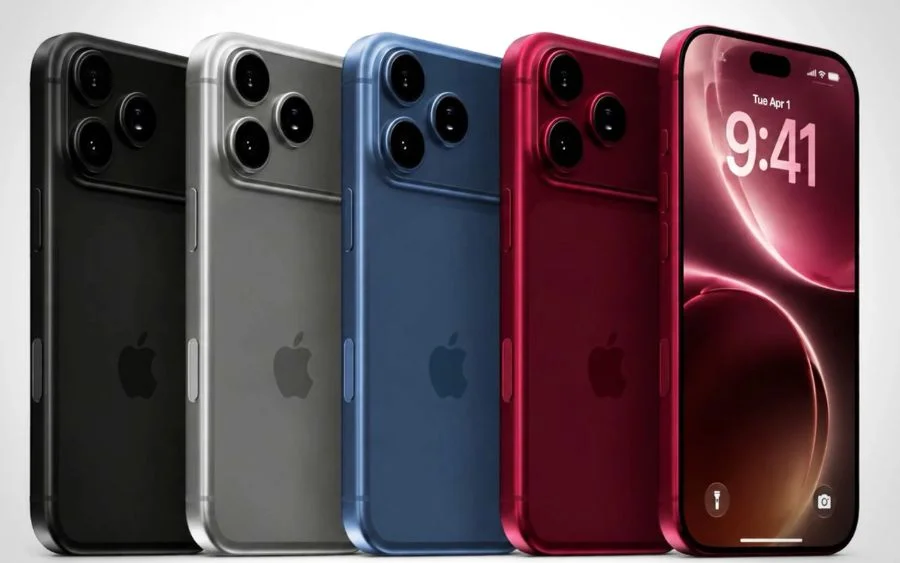
Best phone case brands for the new iPhone 18
لماذا يُعد اختيار الغطاء المناسب لهذا الهاتف أمرًا مهمًا
الشاشة متصدعة مع وجود واقي شاشة
انطلاقاً من التزامها بالجودة وسعيها لتحقيق رسالتها، تعمل شركة «كوما» على تنمية الاقتصاد الحقيقي من خلال الحرفية.
انطلاقة جديدة في عام 2026 | DEVIA تدخل في شراكة استراتيجية عميقة مع Huawei لبناء مشروع مشترك عالي الجودة
أهم 5 أسباب تدفع الموزعين إلى التحول إلى تقطيع الأفلام الآلي
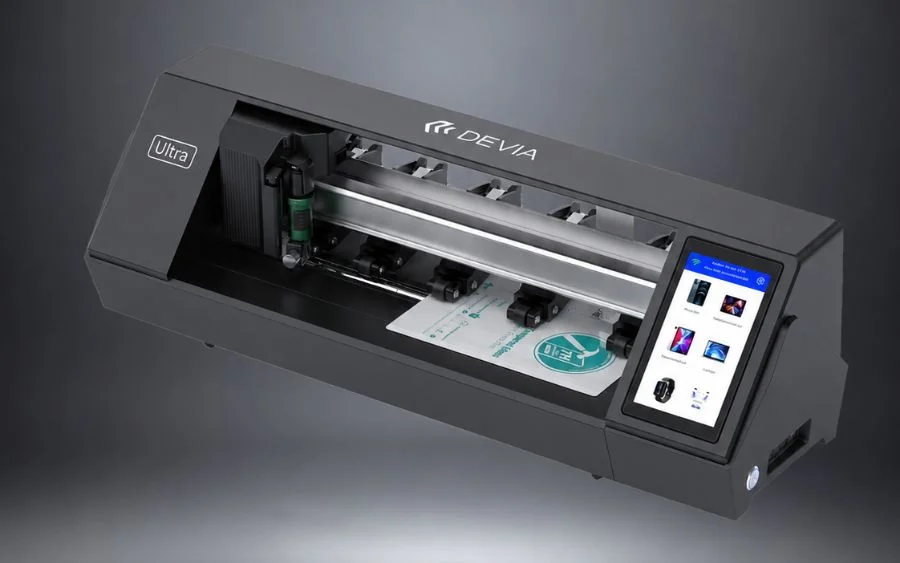
مراجعة جهاز الرسم البياني ديفيا ألترا: الميزات والسرعة والقيمة التجارية
فيلم هيدروجيل 9H - واقي شاشة فائق المقاومة
تاجر جملة لملحقات الهواتف المحمولة - أعمال تجارية عالمية بين الشركات
أحدث المقالات
- Privacy Screen Filter for Monitor
- Good Phone Case Brands
- Computer Monitor Privacy Filter
- Best phone case brands for the new iPhone 18
- لماذا يُعد اختيار الغطاء المناسب لهذا الهاتف أمرًا مهمًا
- الشاشة متصدعة مع وجود واقي شاشة
- انطلاقاً من التزامها بالجودة وسعيها لتحقيق رسالتها، تعمل شركة «كوما» على تنمية الاقتصاد الحقيقي من خلال الحرفية.
- انطلاقة جديدة في عام 2026 | DEVIA تدخل في شراكة استراتيجية عميقة مع Huawei لبناء مشروع مشترك عالي الجودة
- أهم 5 أسباب تدفع الموزعين إلى التحول إلى تقطيع الأفلام الآلي
- مراجعة جهاز الرسم البياني ديفيا ألترا: الميزات والسرعة والقيمة التجارية
فئات